
REST Request step
Call any HTTP API from a Glue job.
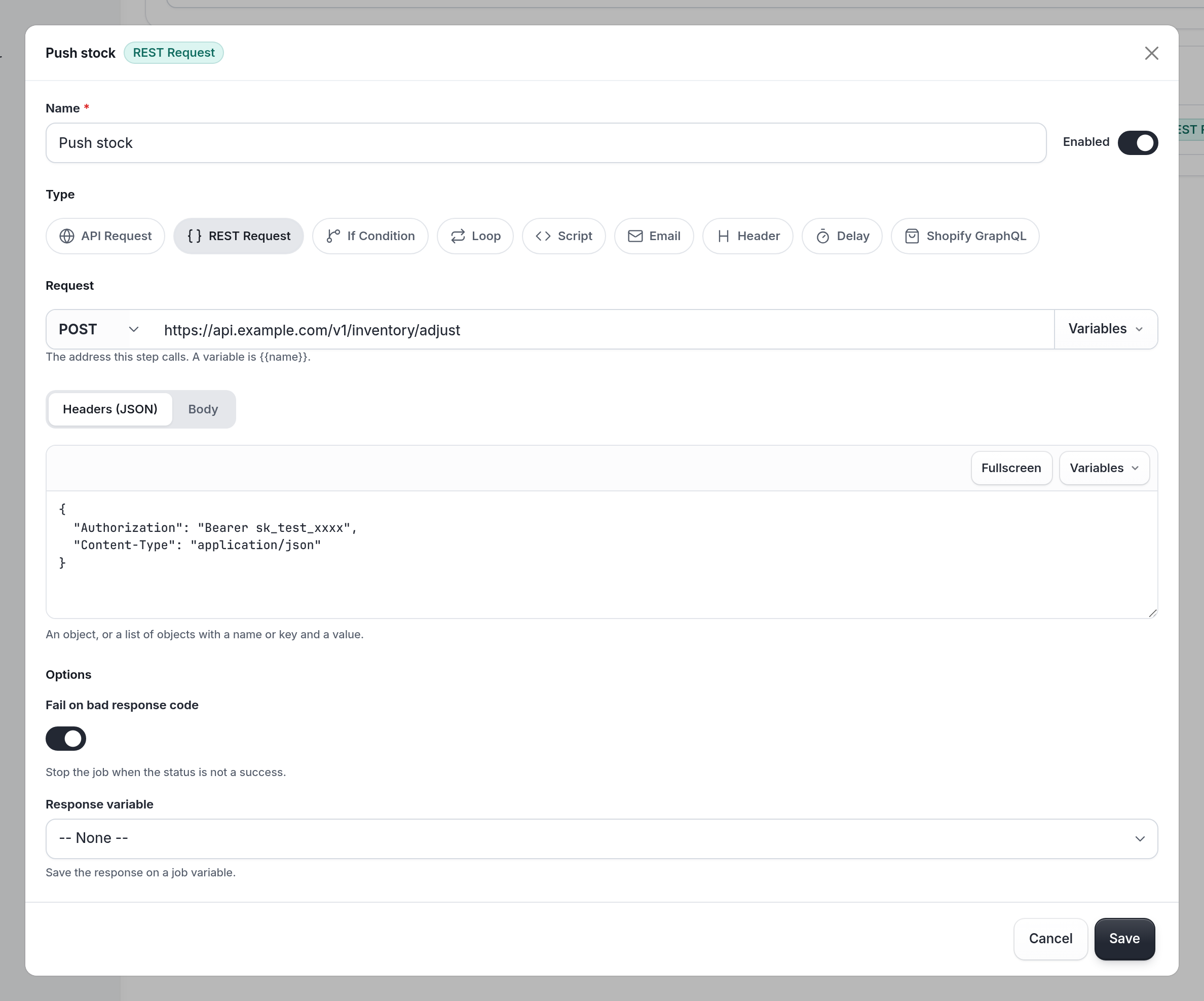
The REST Request step calls any HTTP API: a marketing platform, an ERP, a courier or your own service. To call Smooth POS itself, use API Request, which handles authentication for you.
Set it up
| In the app | data field | What it does |
|---|---|---|
| Method and URL | action, url | On one line, like POST and https://a.klaviyo.com/api/events/. Liquid works in the URL. |
| Headers (JSON) | headers | A JSON object, or a list of {name, value} objects. Liquid works, so {{ headers }} is a good choice. |
| Body | post_body | Sent whenever it isn't empty, including with GET and DELETE. Usually {{ some_body }} built in a script. |
| Fail on bad response code | fail_bad_status | Stops the job, and retries it, when the response isn't a 2xx. |
| Response variable | response_variable | Saves {status, body, headers}. body is a string. |
See REST Request headers for the header formats that work and the ones that fail the step.
How it behaves
- Fire and forget. With no Response variable and Fail on bad response code off, the request is sent in the background. The job doesn't wait for it, and nothing checks whether it worked. Set a response variable, or turn on Fail on bad response code, whenever the result matters.
- Retries skip it at the top level. A top-level REST Request that already succeeded isn't sent again when the job is retried, and its response variable is restored. Inside an If Condition or Loop it's sent again.
- Limits. Each request has up to 300 seconds, and a response can be up to 10 MB. See Limits.
Example 1: Send a sale to Klaviyo
Trigger: System Hook, Create Sale.
-
API Request: Get Private Data, Key
marketing, Response variableconfig_res. -
Script: Build the Klaviyo event
var sale = JSON.parse($.default); var cfg = JSON.parse(JSON.parse($.config_res.body).marketing); var email = (sale.customer && sale.customer.email) || ""; $.has_email = email !== ""; $.headers = JSON.stringify({ "Authorization": "Klaviyo-API-Key " + cfg.api_key, "revision": "2026-07-15", "Content-Type": "application/vnd.api+json" }); $.event_body = JSON.stringify({ data: { type: "event", attributes: { value: sale.total_price, unique_id: "smoothpos-sale-" + sale.id, metric: { data: { type: "metric", attributes: { name: "Placed Order" } } }, profile: { data: { type: "profile", attributes: { email: email } } } } } }); -
If Condition: If the customer has an email, Condition
$.has_email === true. -
REST Request: Send the event to Klaviyo, nested under THEN:
POST https://a.klaviyo.com/api/events/, Headers{{ headers }}, Body{{ event_body }}, Fail on bad response code on, Response variableevent_res.
The full version of this job is Example 1 in Creating Glue integrations.
Example 2: Pull orders and handle failure yourself
Trigger: Scheduled.
-
API Request: Get Private Data, Key
orders_api, Response variabletoken_res. -
Script: Build the request: read the token and set
$.headers. -
REST Request: Get orders,
GET https://api.example.com/orders?status=open, Headers{{ headers }}, Fail on bad response code off, Response variableorders_res. -
Script: Read the response
$.orders = []; if ($.orders_res.status === 200) { $.orders = JSON.parse($.orders_res.body).orders || []; } else { console.warn("Order pull failed", $.orders_res.status, $.orders_res.body); } -
If Condition: If any orders came back, Condition
$.orders.length > 0. Add the steps that process the orders under THEN.
Tips
- Keep keys in private data, never in the step itself.
- Look for a de-duplication key in the other API (like Klaviyo's
unique_id) and build it from the Smooth POS ID, so a retry can't create a duplicate. - Pin the API version when the other system asks for one.
Updated about 23 hours ago