
Linkly terminal setup
Connect a Linkly Cloud EFTPOS terminal to your registers.
With Linkly Cloud, your EFTPOS terminal takes card payments straight from the Smooth POS register. Setup has two parts: turn on the integration once for your company, then pair each terminal with a register.
1. Turn on Linkly Cloud
- In Smooth POS, go to Admin → Company Details.
- Open the Integrations tab, then the Payment Methods tab.
- Switch on Linkly Cloud.

2. Pair a terminal with a register
- Go to Register → Stores and select the store the terminal is in.
- Open the Registers tab and select the register the terminal will be used with.
- Open the Payment Method Settings tab and select Linkly.
- Enter your Linkly username and password, plus the pair code shown on the terminal.
- Select OK.
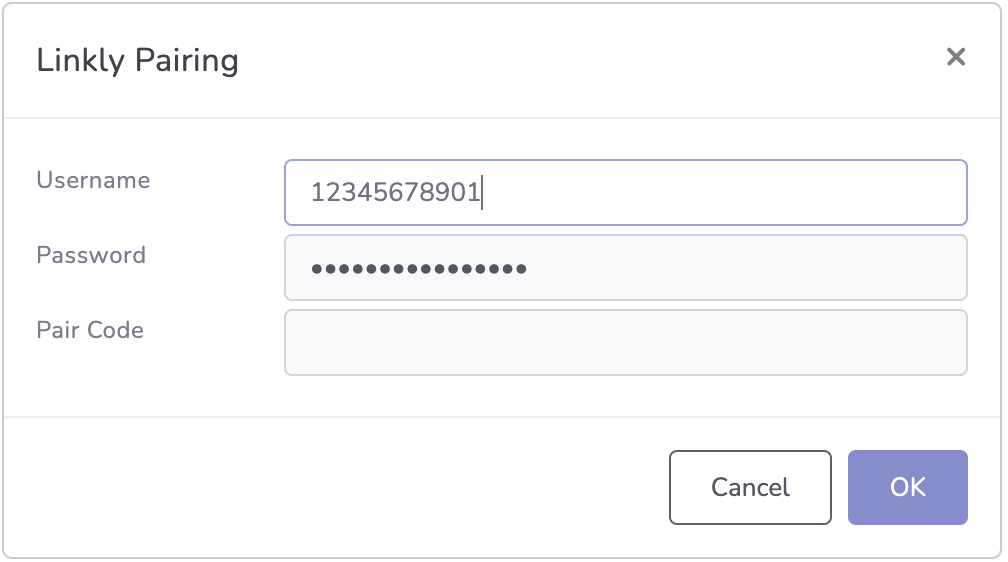
Your terminal is now paired and ready to take payments on that register. Repeat step 2 for each terminal.
Updated 26 days ago
Did this page help you?