
Shopify GraphQL step
Run a query or mutation on your connected Shopify store.
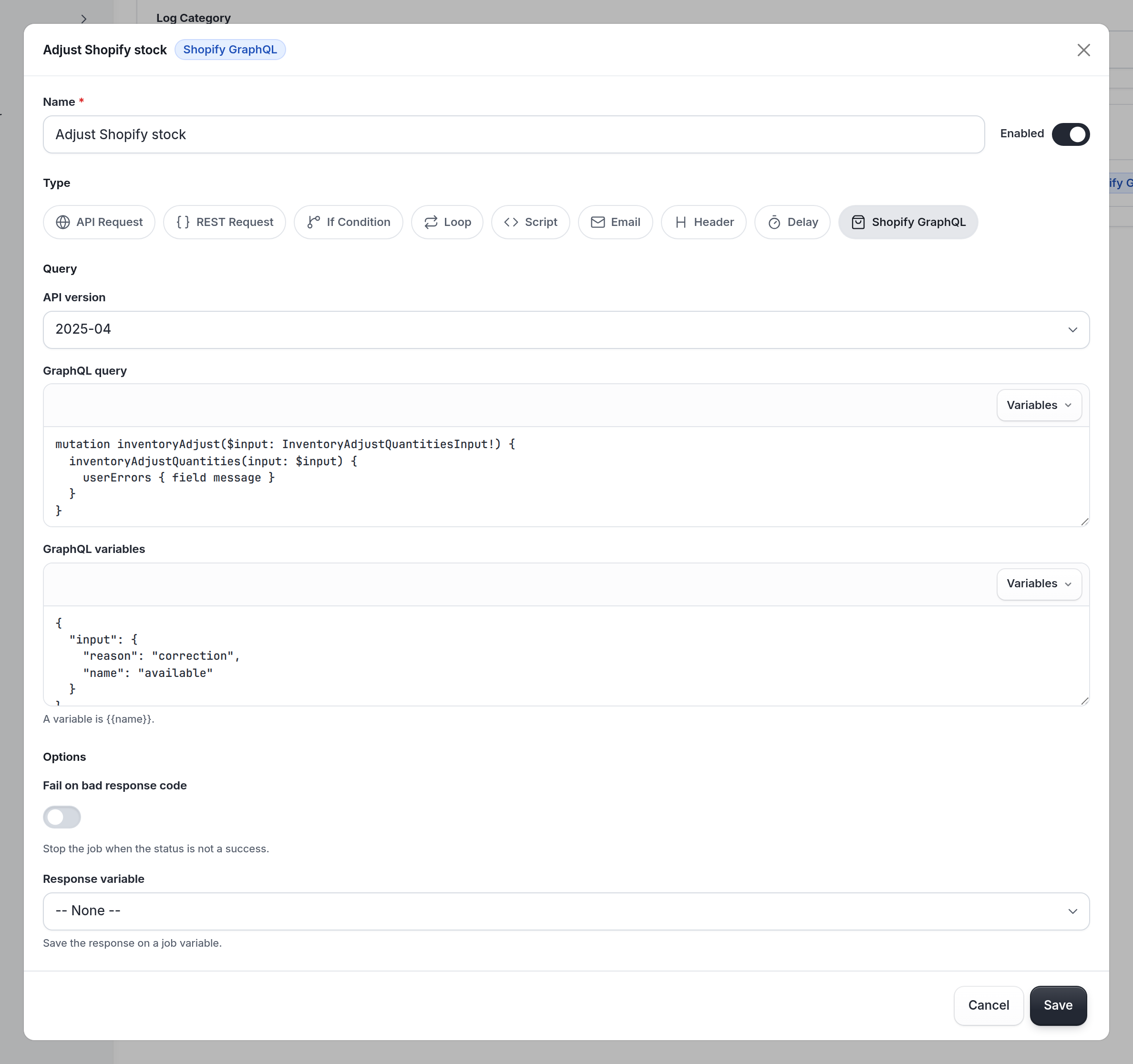
The Shopify GraphQL step runs a query or mutation against your connected Shopify store. Smooth POS uses your company's Shopify connection, so you don't put a store domain or access token in the step.
Set it up
| In the app | data field | What it does |
|---|---|---|
| API version | api_version | The Shopify API version, like 2025-04. Leave it on the default if you're not sure. |
| GraphQL query | gql_query | The query or mutation. |
| GraphQL variables | gql_variables | A JSON object of variables. Liquid works, so {{ gql_vars }} (built in a script) is the easy way. |
| Fetch all pages | fetch_all_pages | Walks every page of a connection. See Fetch all pages. |
| Fail on bad response code | fail_bad_status | Stops the job, and retries it, when the call fails. |
| Response variable | response_variable | Saves {status, body, headers}, with body as a string. |
Through the API, end_point is graphql.json and action is POST. Smooth POS adds the /admin/api/<version>/ part of the URL and builds the request body from your query and variables.
Errors
GraphQL can answer 200 and still report a problem, in errors or in a mutation's userErrors. With Fail on bad response code on, the step also fails on those. With it off, check them yourself in a script:
var r = JSON.parse($.shopify_res.body);
var result = r.data && r.data.productVariantsBulkUpdate;
var userErrors = (result && result.userErrors) || [];
$.shopify_failed = !!r.errors || userErrors.length > 0;
Example 1: Update a Shopify product when an item changes
Trigger: System Hook, Update Item.
-
Script: Read the item
var p = JSON.parse($.default); var item = p.after || p; // Where you keep the Shopify IDs is up to your integration. // This example keeps them in the item's metadata. var ids = (item.metadata && item.metadata.shopify) || {}; $.gql_vars = JSON.stringify({ productId: ids.product_id ? ids.product_id.value : "", variants: [{ id: ids.variant_id ? ids.variant_id.value : "", barcode: item.barcode }] }); -
Shopify GraphQL: Update the Shopify product, Response variable
shopify_res, Fail on bad response code off, with this query and GraphQL variables{{ gql_vars }}:mutation UpdateBarcode($productId: ID!, $variants: [ProductVariantsBulkInput!]!) { productVariantsBulkUpdate(productId: $productId, variants: $variants) { productVariants { id barcode } userErrors { field message } } } -
Script: Read the GraphQL response, using the error check above to set
$.shopify_failed. -
If Condition: If Shopify returned an error, Condition
$.shopify_failed === true. Add what should happen under THEN, like a Send Notification and a Stop Job with Status Error.
Example 2: Collect every SKU in the store each night
Trigger: Scheduled, daily at 1:00 am.
-
Shopify GraphQL: Get every Shopify product, Fetch all pages on, Items path
data.productVariants.nodes, Cursor pathdata.productVariants.pageInfo.endCursor, Has next pathdata.productVariants.pageInfo.hasNextPage, Response variablevariants, with this query:query Variants($cursor: String) { productVariants(first: 250, after: $cursor) { nodes { id sku product { id title } } pageInfo { hasNextPage endCursor } } } -
Script: Collect the SKUs
$.skus = $.variants.items
  .map(function (v) { return v.sku; })
  .filter(function (s) { return !!s; });
console.log("SKUs in Shopify:", $.skus.length);
For another worked example, see Example 4 in Creating Glue integrations.
Tips
- Ask for
userErrorsin every mutation. - Mind Shopify's rate limits. Keep page sizes reasonable, and don't loop one mutation per item when a bulk mutation will do.
- Tests run for real. Selecting Run changes your Shopify store. Try mutations on a test product first.
Updated about 23 hours ago